
INTELLIscribe LPR Client Overview
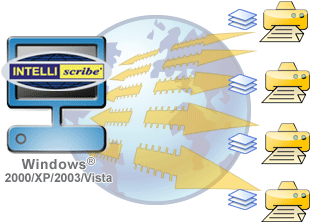 INTELLIscribe® is an LPR print client which allows you to print from your Windows applications, through your existing Windows printer definitions, to TCP/IP addressable printers anywhere–on your local network or remote sites. INTELLIscribe works without a network server and for a lower ownership cost than network servers. Besides, system resources on your network server are freed up, allowing your server to be productive on other tasks.
How INTELLIscribe Works
- Print a file from any application to a Windows printer configured to work with INTELLIscribe.
- The application formats the data specifically for the printer. Then the formatted print file is placed in the Windows print spooler.
- The Windows spooler sends the print job to INTELLIscribe.
- INTELLIscribe can print to virtually any type of printer without affecting either the application or the Windows spooler.
- INTELLIscribe spools the print job to our “Virtual Printer Port.” This can be one or more IP addressable printers.
Where INTELLIscribe Gets Data From
INTELLIscribe offers four ways to send print jobs to a network printer or other print server: Drag-and-Drop, ISendfile, Port Monitor and Reprint.
Drag-and-Drop
Drag-and-Drop allows users to drag “printer-ready” files over INTELLIscribe from any explorer window, including the Desktop.
- A user opens Windows Explorer and locates the files that need to be printed.
- The files are dragged onto the INTELLIscribe window over the Virtual Printer Port.
- INTELLIscribe spools the files to the destinations configured in the Virtual Printer Port. Note that the file is not moved or copied, but remains in the same folder it is currently in.
ISendfile
ISendfile allows users to submit jobs into INTELLIscribe from the command prompt or third party application.
- ISendfile is invoked with the name of the Virtual Printer Port and the location of the file(s) that need to be printed.
- INTELLIscribe sends each file requested to the destinations configured in the Virtual Printer Port.
Capture from a Windows Printer
The port monitor receives print jobs from the Windows spooler; this allows Windows applications to transparently print using INTELLIscribe.
- A user prints a file from any application to a Windows printer. This printer is configured to print with INTELLIscribe.
- Using the print driver, the application formats the data specifically for the printer. When finished, the formatted print file is send to the Windows spooler.
- The Windows spooler sends the print job to INTELLIscribe. This method allows INTELLIscribe to print to virtually any type of printer without affecting either the application or the Windows spooler.
- Finally, INTELLIscribe spools the print job to the [](/intelliscribe-destination-configuration/) in the Virtual Printer Port. Almost any TCP/IP-addressable printer or print server will work.
Reprint
You can reprint directly from the INTELLIscribe GUI. INTELLIscribe can be configured to retain a number of print jobs. You can reprint these jobs at any time.