
INTELLIscribe Reprints Printer-ready PRN Files

INTELLIscribe® reprints jobs without launching the original application. When you reprint jobs. normally you open the application again, then reprint the document. This takes time and uses resources to complete. With INTELLIscribe, you need only right-click on the print job, choose reprint from the pop-up menu, and INTELLIscribe takes care of the rest.
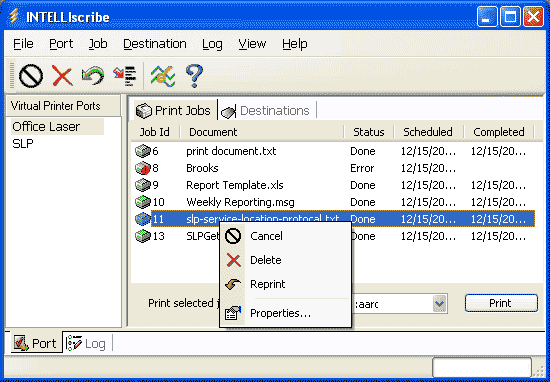
Example uses include:
- When the printer runs out of paper, the print job could be lost.
- If the print server does not support a number of copies, you can print the job once, then have INTELLIscribe reprint it again without using Windows Printing Services, conserving resources.
INTELLIscribe can be configured to keep a specific number of jobs or keep all jobs for a specific number of days.