
Mainframe & Host Printer Finishing Options
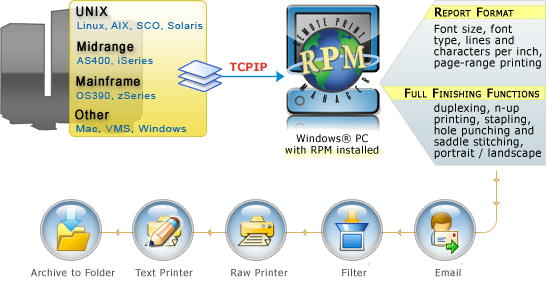
RPM Remote Print Manager® gives you the right tools to modify mainframe (host) print documents to your needs, adapting text to any printer using a Windows® print driver. RPM handles many text formats intelligently while providing a simple interface.
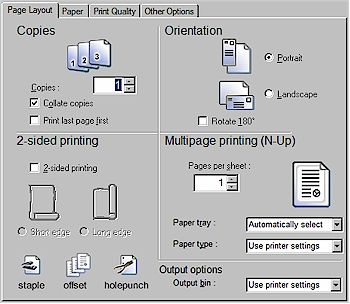
RPM can apply any of the print driver finishing functions to the print job including portrait or landscape orientation, quality settings, 2-sided (duplex) printing, hole punching, watermarks and overlays, multi-page printing (n-Up), offset, tray selection, paper type and paper size, collation, and much more. The formatting options found in RPM are a key reason network and mainframe administrators and other IT professionals make the switch from their existing print server to RPM.
Modify Print Jobs
Simply stated, RPM provides you the tools to create a completely customized document workflow. Any queue can be configured once using RPM; from that point on, every time a print document is received, the same formatting options will be applied.
Furthermore, the destination printer, report formatting, and finishing functions for any job are easily modified on the fly by the RPM administrator.
Control Print Traffic, Print Quality
RPM expands printing capabilities
RPM extends printing capabilities, giving users more control, formatting options, and file management advantages over any traditional network print server. For example:
- Rather than sending ASCII text directly to a line printer, you can direct a queue on a mainframe, AS/400, or Unix system to route print jobs via TCP/IP to the IP address of a computer loaded with RPM. To the host system, RPM appears as a regular network printer.
- RPM allows total control over such things as font size, lines per inch, characters per inch, and font face. These specifications allow print jobs such as greenbar reports to print on less costly cut-sheet paper with a richer appearance, or go directly to PDF or an email.