
Understanding Module status
Screenshots in this article are from RPM 6.2.
Questions about module status
From time to time, we receive an email from a client concerned about the status of their RPM modules. In particular, someone will see the word “Locked” and think they need to do something to enable that module.
The most important thing to know about the modules is that they are rarely used. The typical customer should be concerned only about the main product license and not any of the modules.
Modules need activation only when you purchase a non-standard license or a module. A non-standard license would include RPM Elite with 249 devices (R6E2) or “unlimited” devices (R6E3) or the separate Queue Folders module (R6-QFLD), which is an extra cost and shows up as a separate line item on your invoice. If you purchase Queue Folders, someone from our office will need to walk you through the steps to activate the module.
The Module Status
Here is the Module Status tab for a license.
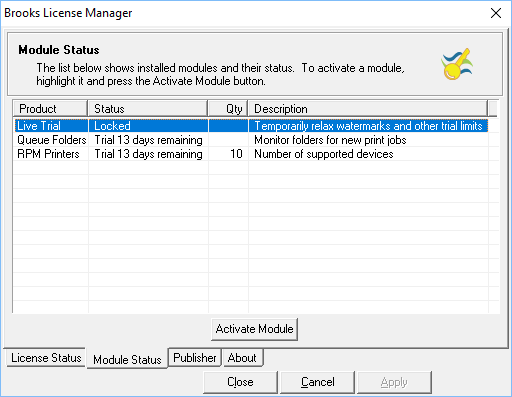
The main license could either be in trial or unlocked. This shows us three modules and their status:
- LiveTrial - This module is used during the trial period to suppress watermarks or other trial limitations for days upon request. It never needs permanent activation.
- Queue Folders - This module enables RPM to monitor a folder for jobs. It is a separate cost. In the screenshot, it is in the trial period
- RPM Printers - This module allows you access to more printers than the default. If the main license is unlocked (activated) and this is in trial or locked, RPM will still support the default number of devices (10 for Select and 99 for Elite).
Unlocked License
Here is the license status from the RPM Elite on my machine:
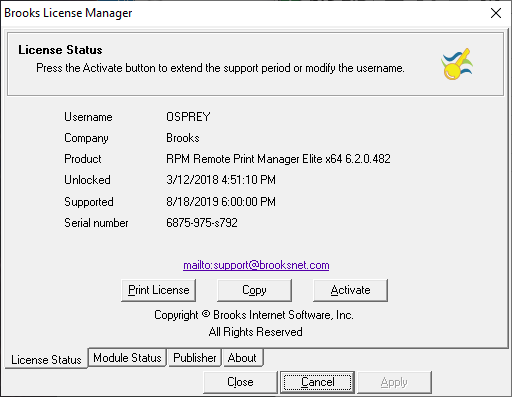
The important areas of note here are:
- Unlocked - This is the unlock date or the date when the license was activated: March 12, 2018
- Supported - This is the date when the support agreement will expire (or has expired): August 18, 2019
Note that the “supported date” reflects the support expiration date that was current when the license was last activated. It will not reflect support renewals unless the license is activated after the renewal. If in doubt, you may activate it again now to see the most current supported date.
Also, if you wish to change the username or company values, the license can be activated again using new values in those fields. There is no penalty for multiple activations of the same serial number.
Now, here is the module status from the same license after a few key changes occurred:
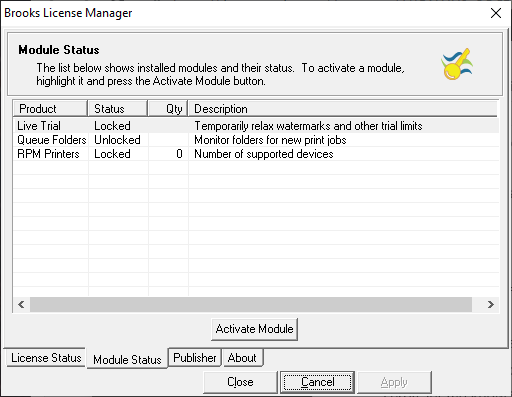
This shows that the LiveTrial is still not active on this license, that I have activated the Queue Folders module, and that the trial of the RPM Printers module has elapsed. If the main RPM license has been activated, the default number of devices will be available (99 for Elite). If the main RPM license is an expired trial, RPM will no longer receive and process jobs, so the module statuses are irrelevant.
Another production license
By default, an RPM Elite license comes with 99 printers when activated. The license below shows the user activated 249 printers necessary when purchasing RPM Elite with 249 devices. If you purchase RPM Elite with Unlimited devices, activate the module to 0 (which means no limit):
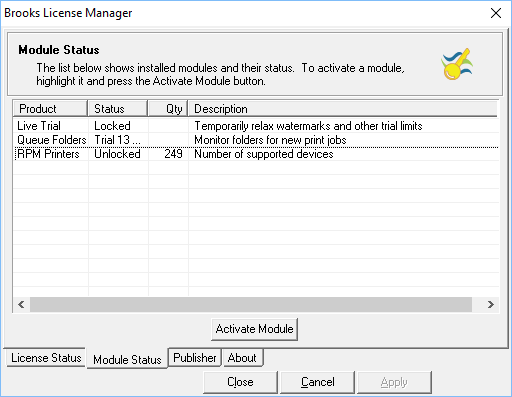
Note in this module status that the Queue Folders module is in trial and will stop working in 13 days. The RPM Printers module is unlocked (activated), and RPM will support as many as 249 devices.
Conclusion
Hopefully, this article has answered most of your questions. If not, please contact our staff via email and send a screenshot of the module status window.