
What is a Print Server?
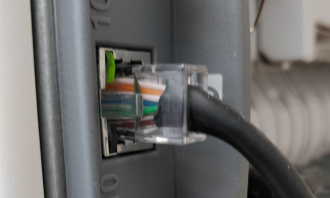
internal print server with cable
It’s interesting in this day and age that print servers are getting as much attention as they are. I’ve seen websites that claim to eliminate them. These sites don’t do that; they only keep you from needing to work directly with the servers. Many of the original hardware solution vendors have switched to other business endeavors.
Nonetheless, print servers continue to remain an integral part of the routine IT process in many businesses.
My goals for this article include:
- my qualifications, briefly
- discuss servers in general, what they used to be, and what they are now
- minimum capabilities a server must have
- what is spooling about
- network protocols a server should support
- the role of virtual printers
My qualifications
I wrote the first software print server available for Microsoft Windows under their “Windows Sockets” API, back in the early 1990s. I also wrote the second, an iteration on the first; I went from plain text rendering, 60 lines by 80 columns, to raw data transmission such as PostScript.
By “first” I mean, apart from vendors who already offered a print server with their Windows Socket product, along with other utilities like an FTP client. Mine was called WSLPD; I don’t recall if it was copyrighted by the contractor I worked for at the time, or by the US government.
Since that time, I have written, enhanced, and actively supported a newer Windows print server. This product is in active use in commercial and government installations worldwide. I know this because I work with the support team closely, not typical for developers. I’ve also implemented at one time or the other most technologies mentioned in this article.
Speaking in general
I can imagine this posted as a sign on a wall somewhere:
“The essential mission of a print server is to get ink on paper.”
That statement is both too obvious and incomplete.
A more serious definition of a print server is “a software process that sends print jobs to a print device”.
Most printers today have one built in. When I started you could tell by the network jack on the back — a real change from the D-connector era, when a cable ran from the computer to the printer and that was that. Since then we’ve gone from those cables to Ethernet, and now to Wi-Fi and Bluetooth. There’s a fairly new HP in my office and I couldn’t tell you which of the two it uses, because I never had to find out. The HP Smart setup was, as advertised, smart.
The jack is no longer the tell. The essential point is that a modern printer is reachable over the network, however it got there — which means it’s running a print server of its own.
At the same time, there is a class of print servers which are not built-in to a printer, which converts the print job to PDF and may perform other software-specific functions. For instance, it may bridge between a legacy system with traditional print capabilities and a modern document management system, to name an example.
Minimum expected capabilities
- It should receive print jobs using one of the standard network protocols for printing. We discuss these below.
- It may notify when the print job is complete, that is when the printer finishes and the last page drops.
- The network protocol may support status queries and removing jobs before they print.
- It should be able to accommodate any sized jobs the user community chooses to print.
- It may be able to spool jobs that arrive while the current job is processing. Note that if the print server does not spool on its own, you should have a print spooler that can take care of that for you.
Note that a print server built-in to the printer may require a disk or sufficient onboard memory to be able to spool. I’ve seen this in a few high-end printers, but I’ve also seen those systems fail when they received a file that was too large. When users “can’t print” because a system in the network is too busy, users will tell each other and shortly that system will NOT be “too busy”. That’s not a good situation for anyone. Therefore, at least one good print spooler is essential. Keep reading for more on that.
About spooling
If you are not familiar with spooling, consider this as a premise:
You can create print jobs faster than the printer can print them.
The same is true for delivering print jobs on the network. The network can send them faster than the printer can process them.
The spooler is the piece that receives the print jobs and stores them until the printer is available to print. Note that also means the spooler needs to keep track of the order in which print jobs arrive, so they print in the same order.
Let’s consider this scenario. Imagine you and I both printed to my office printer at nearly the same time, which we can do because it’s on our network. We expect printing to be smooth, so smooth that we don’t know who printed first because neither of us gets an error message saying, “the printer is busy, please try again later.”
That’s the beauty of spooling. In this case, the Windows Spooler took care of it for you, since when we print from Windows apps, the Windows spooler is in charge making sure the jobs arrive on the printer, eventually.
Similarly, if you printed directly to a print server, you would expect it to spool automatically and not force you to wait. Otherwise, you would likely find yourself printing to a system that did spool, for instance, to Windows.
Let’s quickly note the circumstances when the printer is NOT available:
- it’s already printing
- it’s out of paper or toner
- the input tray or output bin is open
- the printer is unplugged
This is where a software server earns its keep over one built into the printer: ours notices the condition and holds the job until the printer recovers, rather than failing it and leaving someone to work out which pages made it.
Network protocols
LPR/LPD
LPR/LPD has been around since at least 1990 and likely before. It features named queues. In the original Unix environment, this allowed for independent setup for each queue with the possibility of supporting multiple printers. LPR/LPD also supports status requests on a queue, and the ability to remove jobs in a queue before they print.
Modern printers support LPR/LPD because it’s ubiquitous. In the printer itself, the queue name often means nothing although it could signify different data formats, for instance, plain text versus a printer language.
LPR/LPD includes a little bit of complexity, such as commands, subcommands, and responses. It can set job properties such as name, title, and preferred format. It also includes an optional notification in that you could get an email when the job prints. These are features more often supported by a software LPD server than a printer.
LPR/LPD uses TCP/IP port 515, commonly referred to as the LPD port.
Raw sockets / streams / telnet
In this protocol, the sender transmits the print job content over the network without any additional overhead. Typically the sender opens the connection, sends the job, and closes the connection. That’s it. The printer processes the print job without any further communication.
Raw socket typically uses TCP/IP port 9100, commonly referred to as the raw print port although it goes by other names as well.
JetDirect
JetDirect is a proprietary protocol developed by H-P for use with their printers. It features a command language where you can ask the printer questions and request status on page and job completion, among others. You can also set many features about the job itself, such as the name to display on the printer LCD panel, the number of copies, even the printer language for the job.
Paradoxically, JetDirect also uses TCP/IP port 9100.
IPP or Internet Printing Protocol
IPP is a protocol developed by a consortium of printer vendors with the first public specifications published in 1999 or thereabouts. IPP aimed to address the deficiencies of LPR/LPD and add features suitable to more high-end printers.
I don’t have much to offer about IPP. I’ve always wanted to work with it but have not yet owned a printer that supported it. One great thing I know about IPP is that it can encrypt printer traffic.
About virtual printers
There was a time when intercepting data intended for the printer, and doing something else with it, was considered hijacking. I’ve heard of systems which went to great lengths to prevent that. In these scenarios, printing took place via a printer port and a special cable connecting the computer and the printer. Back then, you had to have a driver on your computer for the attached printer.
That much hasn’t changed; you still need a driver for the printer, although there are several widely used printer languages with broad support the makes driver requirement less of an issue.
Today, most printer traffic travels over the network, and not many printers rely on that special cable. It’s much harder than it once was to keep printer data private.
What, then, is a virtual printer? It’s a print server that is not attached to a printer. It supports one or more of the commonly used network protocols, discussed above. Finally, it’s mission is not merely to print but to do something else constructive with your print job, in addition to or instead of printing.
Examples include:
- converting to PDF
- bridging to a proprietary system such as a credit union, a medical office, hospital records system
- any other application you might imagine software to do
- watermarking
- generating multiple copies, each of which specifies a different input tray in the printer
That list is deliberately short. What people do with RPM is the longer version, written as the jobs customers actually brought us rather than as a list of features.
Conclusion
I hope this article provided you a bit of respite from the hype as we discussed these topics:
- You are not going to be able to get away from print servers altogether; that doesn’t seem likely
- Most simple implementation have much in common
- Some offer much more functionality, which may be what you need
- There’s almost certainly a spooler in the mix, somewhere
- In some situations, a virtual printer can be a game changer
If you have any questions or comments, I hope you’ll let us know via the contact form or the comment field if you log into this website.
Ready to see it in action? Download the 21-day free trial → or talk to someone on our team →, especially if you’re working with an AS/400 or an unusual environment.