
Network Printer Protocols: TCP/IP Printing
Screenshots in this article are from RPM 6.2.
What is a network printer?
For this article, I’ll define a network printer as:
- software which uses TCP/IP and one or more of the protocols mentioned below
- computer hardware, including file storage, to hold print jobs before they are spooled to an output device or process
With this definition, I can include both:
- standalone software products like ours, since we implement the protocols and use Windows resources
- print servers embedded in a printer. Surely a print protocol is not encoded in firmware in a printer, but rather with the printer’s operating system with the manufacturer’s feature set.
We’ll confine our discussion to TCP/IP network protocols. Bluetooth is a somewhat more intimate conversation that needs the right software drivers installed on your computer before you can print.
Bluetooth vs TCP/IP
| Bluetooth advantages | TCP/IP advantages | |
|---|---|---|
| Ease of setup | It’s hard to beat Bluetooth: select a printer from the Windows Print menu, and Windows does the work for you | Usually faster to use an app and enter the information |
| Simplicity of use | Bluetooth supports printing from Windows applications, no thought is required | Once the network printer is set, typically you only need the right command and the right printer name |
| Options | Windows printing does not have much variety | You can theoretically send any file you might have access to |
| Speed | Acceptable for office use | Targeted toward corporate use |
TCP/IP Printing Protocols
| Protocol | Port number | Bidirectional | Documentation |
|---|---|---|---|
| LPR/LPD | 515 | yes | RFC 1179 |
| JetDirect or AppSocket | 9100 | yes, via PJL | Hewlett-Packard proprietary documents |
| Telnet or raw socket | 9100 | no | no standard; see port 9100 printing |
| IPDS | 5001 | yes | IBM proprietary documents |
| IPP | 631 | yes | RFC 8010 , 8011 , 3382 , 3995 , 3996 and 7472 |
Where a row names an RFC you can find it by searching for “IETF RFC #” and filling in the number. Port 9100 printing is the exception: it has no standards document at all, which is why it goes by so many different names. The IETF is the Internet Engineering Task Force which has long been in charge of setting Internet standards of many kinds.
LPR/LPD
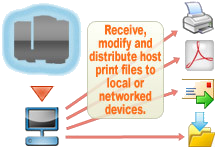
LPR/LPD Protocol is the printing method commonly used in TCP/IP networks. It is in use on university and business campuses where UNIX printing, AS/400 printing, and mainframe printing systems have been in place for a while; the new operating systems now support both mainframe and TCP/IP and LPD. Thus, it is a computer-to-computer printing method rather than PC-to-PC.
The LPR/LPD protocol consisted of two parts, LPR and LPD.
Line Printer Request (LPR)
RPM includes an lpr utility, called clpr. From a command prompt, navigate to the RPM install folder, and type “clpr –help” for a listing of the program’s command line options.
Line Printer Daemon (LPD)
LPD stands for Line Printer Daemon; this is the piece that receives and processes the request. A “daemon” is a server or agent. Our RPM software is a print server.
JetDirect Protocol
The HP JetDirect printing® protocol is one of the most widely used for network printers. HP JetDirect supports bidirectional communication as Queue status, Job status, and Page status.
Telnet protocol
Telnet is a straightforward method based on transferring data directly between TCP ports used for printing purposes. This approach is sometimes called raw TCP/IP, Stream, or direct sockets printing.
And to continue the list of aliases, telnet printing is also called “direct IP printing” and “reverse telnet”. There are eleven names in circulation for this one protocol; we map all of them, along with which end of the connection each name describes.
Internet Printing Protocol
Internet Printing Protocol (IPP) is an Internet protocol that allows universal solutions to users trying to print documents from the Internet. The protocol allows the user to:
- Find out about a printer’s capabilities.
- Submit print jobs to a printer.
- Find out the status of a printer or a print job.
- Cancel a previously submitted print job.
Print Server
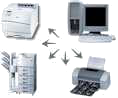
A hardware print server is a device that is connected to the network and has one or more serial, USB, or parallel ports. Some print servers also have buffer memory, which allows them to queue print data faster than the printer can handle.
A software print server like RPM is naturally going to offer quite a bit more functionality than connecting several ways.
Which protocol you use is not the interesting part
Every protocol above does the same job: it moves a print job from one machine to another. What makes the difference is what the receiving end is able to do with the job once it has it — print it, convert it, file it, mail it, or pass it to something else entirely.
What people do with RPM lists those jobs, and how network ports and protocols work in RPM covers mapping any of these protocols onto a queue.